
CASE STUDY

FLOWICS

Connecting brands with the deepest feelings of their audiences

UX DESIGN
USER RESEARCH
INTERACTION DESIGN
VISUAL DESIGN
EDITORIAL DESIGN
ART DIRECTION

Flowics is a social marketing platform for brands and media to capitalize on user-generated content.

It’s a SaaS platform that helps clients better connect with their target audiences, providing them with the tools to stimulate and moderate conversations on social media and amplify within digital environment like TV, web properties, venues, etc.
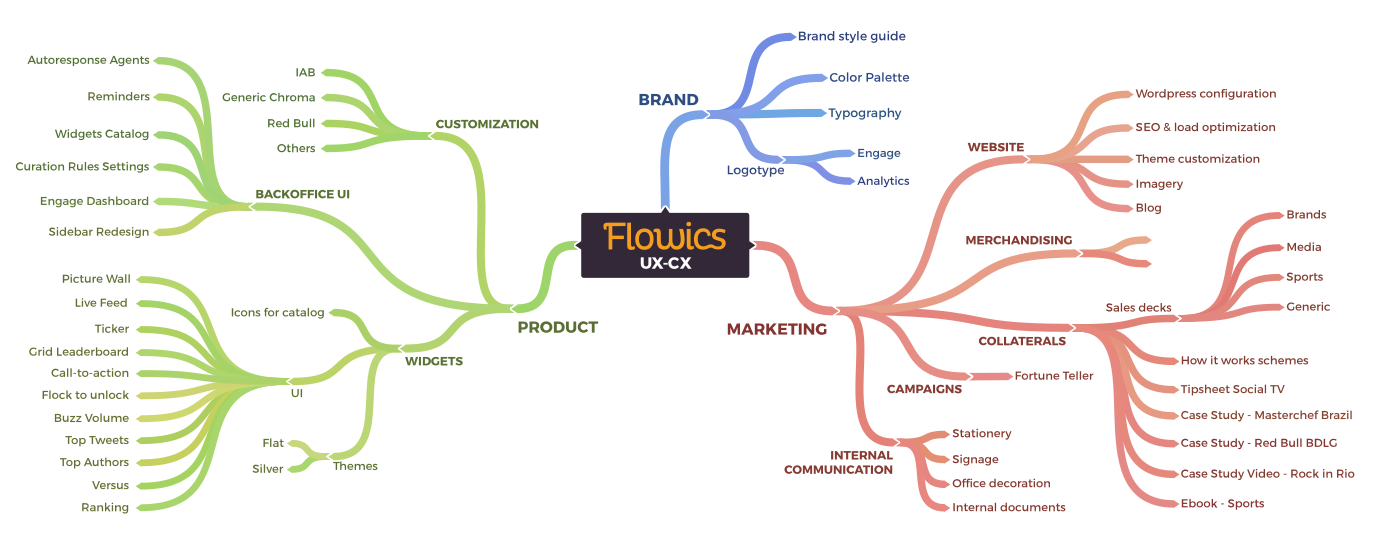
I started in Product as a UX designer and two years later, thanks to the holistic understanding I had achieved, I switched to CX design to create branding and marketing materials.

The start-up spirit: You have to be comfortable wearing many hats.

BRAND

Having a strong brand identity was essential for building supporting product materials such as sales collaterals, business cards and the website.

The culture created around the brand is more important than the logo.

BRANDMARK EVOLUTION

When I started there were two separated products: Flowics for engaging audiences and Tribatics for analyze and monitoring. Since Flowics gained popularity, we decided to merge both into a single brand that will offer analytics and engage under the same umbrella.
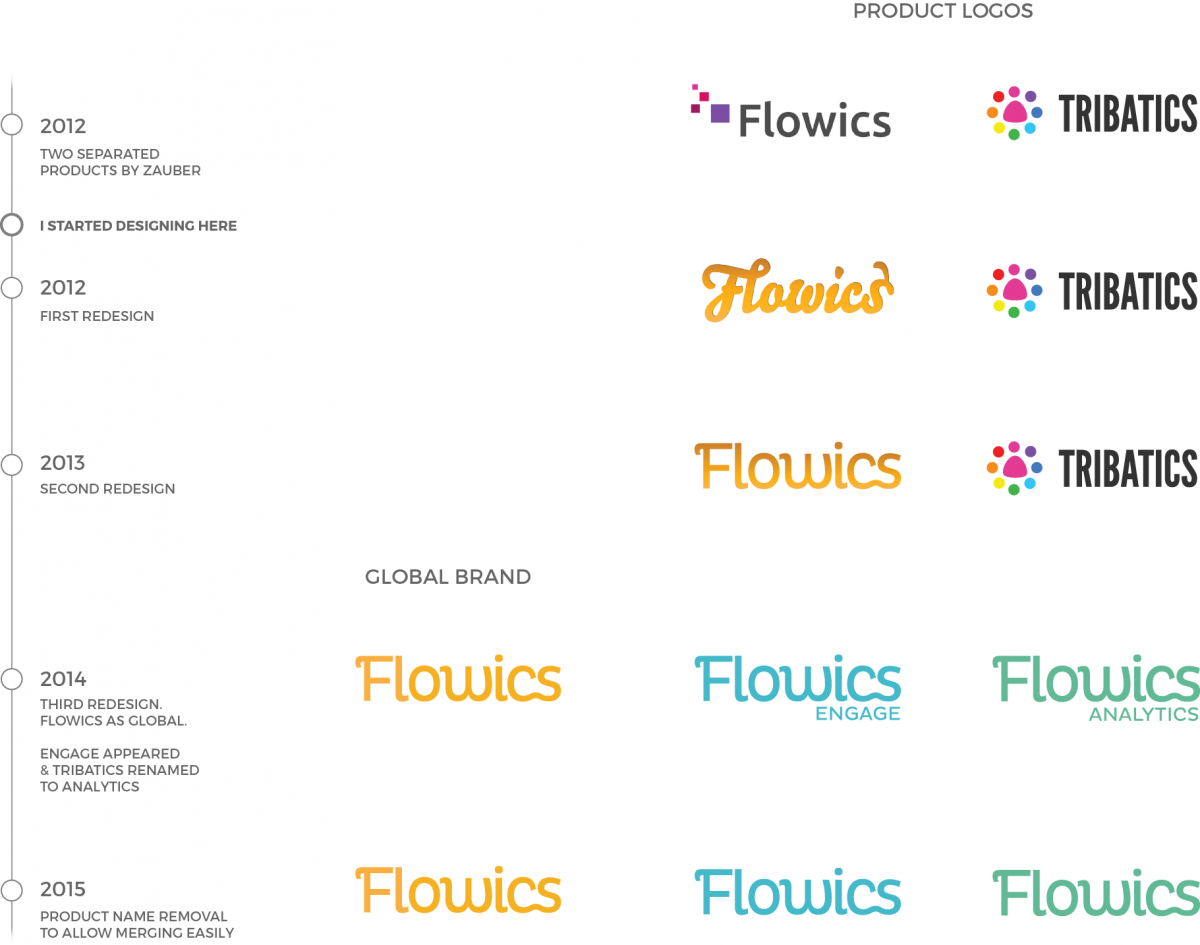
The products merge was not only reflected in logo, but in decks and product UI.

TYPOGRAPHY

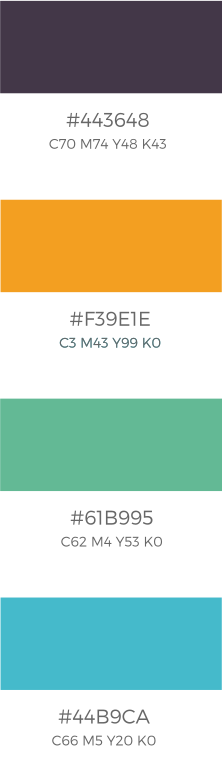
COLORS
PRODUCT

Collaboration was the backbone of the development process. We used agile tools and methodologies to guarantee the best communication and performance across the entire team.

During hackweeks, the UX Design Team learned design thinking techniques that were later applied to research our users’ needs and identify enhancement opportunities.

Collaborative tools like Mural simplified the way to reach consensus with key stakeholders

I created a high level conceptual map of the platform, looking for hidden relationships that would allow us to optimize the user interface and workflows and serve as guide for future designers and developers

The use of Personas allowed the UX team to demonstrate that the users we design for are not inside the company.

Voting during Design Studio sessions was the best way to create consensus among all participants

The backoffice aka The Control Panel

At first, we needed to quickly deploy the MVP. To do that I suggested to use the Bootstrap framework to build the screens more easily.

The configuration interface has been evolving smoothly improving user experience on every iteration.

DESIGNING THE AGENTS MODULE

The autoresponses module sends personalized tweets at scale with customizable content and images.

Starting with a paper or mockup version I experimented and discarded non-viable options. After several iterations the final version served as an implementation guide for developers.

The state machine allows one to visualize the different states at a glance in order to understand when users need feedback of what is happening.

Paper first: sketch ideas quickly and compare hypotheses without wasting valuable time.

Make it usable, but still in low fidelity 

Low fidelity mockups, with all the specifications, are reduced into an MVP that will be enhanced progressively.

Creating low-fi interactive prototypes with Moqups allowed us to iterate and improve quickly.

For this project I initially design with with no constraints in mind, then we reviewed and prioritised features based on impact and effort, with the plan of incorporating them gradually.

READY TO IMPLEMENT

Once the features to achieve the MVP were validated and prioritized, it was time for implementation.

I used the same sidebar to make design patterns cohesive across the whole application.

The Agents module was designed separately, but shared the look and feel with the rest of the control panel.

DISPLAYING THE MAGIC

For displaying the collected content we needed different kinds of visual elements known as widgets.

AN EARLY TEMPLATE: THE EXPERIENCE BUILDER FOUNDATION

At first, when there was no visualizations builder, one path lead us to create “ready to use” templates based on a #hashtag around a social conversation.

COMPLETE SKETCH

Hover to scroll and see full version.

During brainstorming all ideas are welcomed.

MINIMUM VIABLE PRODUCT

To stay focused on the most important and feasible elements, some of the brainstorm ideas can’t be included.

Even though some things in the template (like colors) were customizable, the impossibility to rearrange the block elements limited the client’s ability to be original.

WIDGETS: THE BUILDING BLOCKS

Thus, we abandoned the “ready to use” templates but continued to develop the widgets separately.Those will be the building blocks that users will combine to create embedded visualizations within their own sites.

For the catalog I created a recognizable icons system that was used in the product and as reference in sales collaterals.

The widgets catalog was grew gradually; while their default appearance was correct, they needed an aesthetic and behavioral fine tuning.
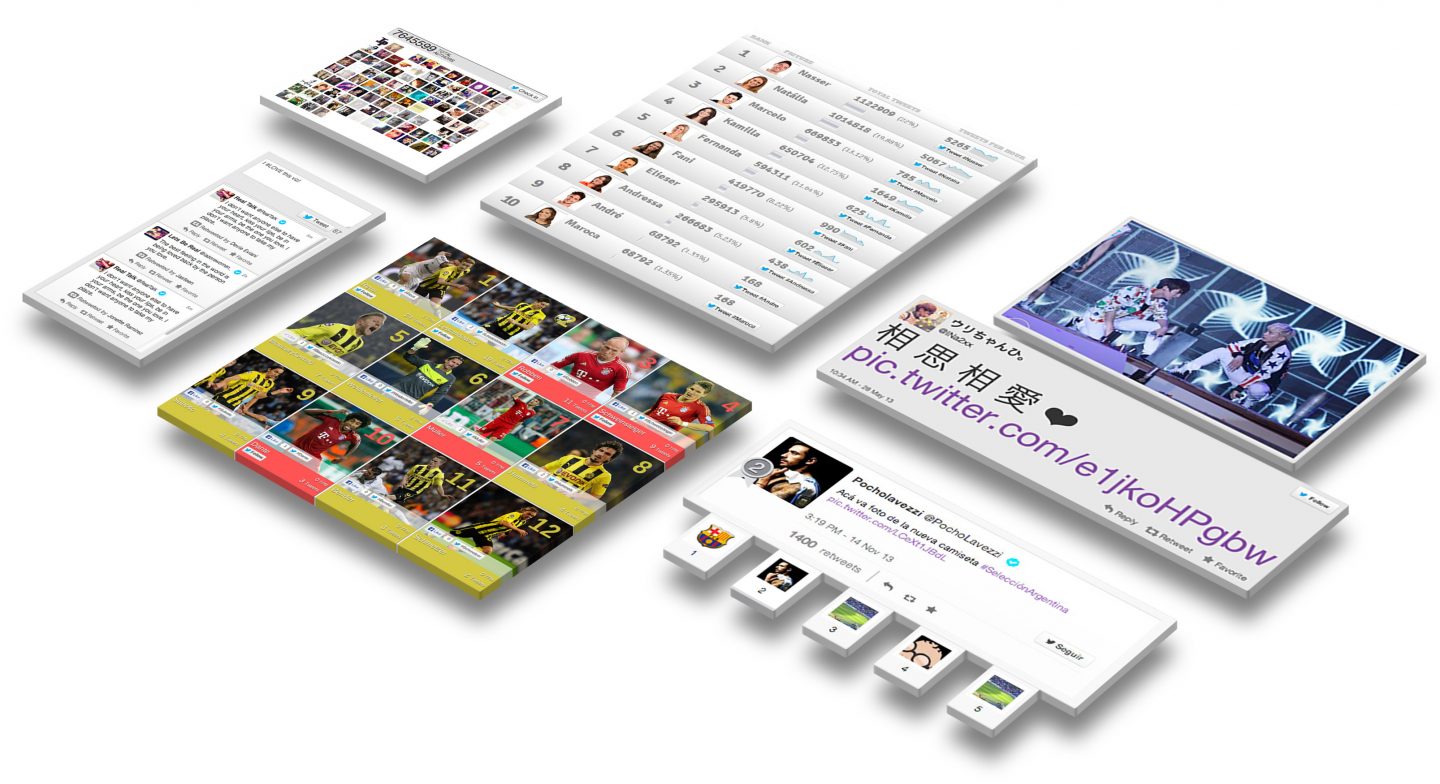
The default theme “silver” was used in some widgets yet some inconsistencies were still present.

To achieve consistency between widgets, I unified important criteria: layout, type and colors. This process resulted in the “flat” theme, with different color palettes, where the elements belonged to the same visual system.

With the “flat” theme, the users can choose colors according to the context they will display them.

MARKETING

I analyzed the needs of our sales team and created materials to help explain the product to our customers and drive sales.

Using an empathy map, a key tool of design thinking, we were able to develop a deep knowledge of our sellers and generate useful collaterals that helped them meet their targets.

WEBSITE

The website design was refined and the content was optimized over the years to collect more qualified leads.

It started as basic HTML, but later I suggested to switch to WordPress, requiring me to wear several hats: Research, Art Direction, Visual Design, Setup and Implementation.

RESEARCHING THE FIELD

Within the last redesign, I took some insights from competitors sites and created a new navigation scheme that enables users access to a brand new product information: the context based solutions.

The initial stage of any design is researching and knowing were you are among competitors.

The implementation was gradual but constant, making small changes every week.

By defining a progressive sitemap it was possible to have a functional website with the most important sections available for navigation. In several iterations the site will reach the full version.

We agreed to make a minimum viable website and later add more sections and content on the go.

More images, less text: I used more visually appealing images to show the platform ‘in use’ and ‘in context’ to showcase the solutions.

THE FRONT DOOR EVOLUTION

2013
2015
2016

HOVER ON PAGES TO SCROLL

We moved to a less cluttered first fold.

 SOLUTIONS BASED APPROACH

The sales team taught customers and prospects how they can combine multiple solutions to fit their needs based on the deployment context.

CONTACT FORM? ALWAYS READY!

Unlike previous sites where the contact form was available in the request demo page only, in the latest redesign I used the insights from the competitors audit to make it appear on several pages like solutions, platform and even on the homepage as a modal window.

ANALYZE, LEARN, OPTIMIZE.

I used GTMetrix to optimize the load speed performance and HotJar to get insights from our visitors.

Disregarding the page size (we used video in the new site) I enhanced the GTMetrix performance indicators
.

Using Hotjar, I detected patterns and interaction zones that led us to improve the layout, discarding the irrelevant elements.
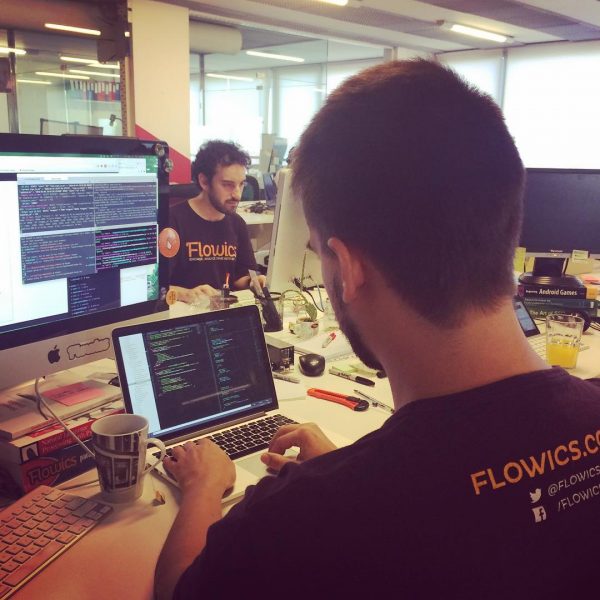
T-SHIRTS, DECALS & KEYS

“Everything is gonna be alright”. A gift for the office handmade with old keyboards.

SALES COLLATERALS

The sales deck was the most iterated touchpoint throughout the product’s history, refining the content and modernizing the look & feel.

Decks matured from black backgrounds and big chunks of text to a clean white with beautiful grids, less text and more images.

E-BOOKS AND CASE STUDIES

We shared tips, case studies and guides following the inbound marketing principles that generated genuine interest from the current customers and new qualified leads that turned into customers later.

I was involved into the art direction, information architecture and editorial design.

Social Media & Sports – A comprehensive guide
Case Study: Masterchef Brasil
Case Study: Red Bull Batalla de los Gallos

We configured the autoresponse agent so you send a tweet with your question and you get back the random response from the fortune teller.

Creating different responses with open answers and personalized data kept people engaged.

NEXT

ALMACEN PURISTA

Bridging the gap between hunger and food 

or back to home